Open source · virtUOS, Osnabrück University
Every lecture hall at a glance — picture, sound and schedule.
The recorders in the lecture halls record and stream live at the same time. When the stream is missing, the recording usually is too. ansehBAR shows which rooms are on air, checks picture and sound and speaks up when something is missing during a scheduled event — before the recording is lost.
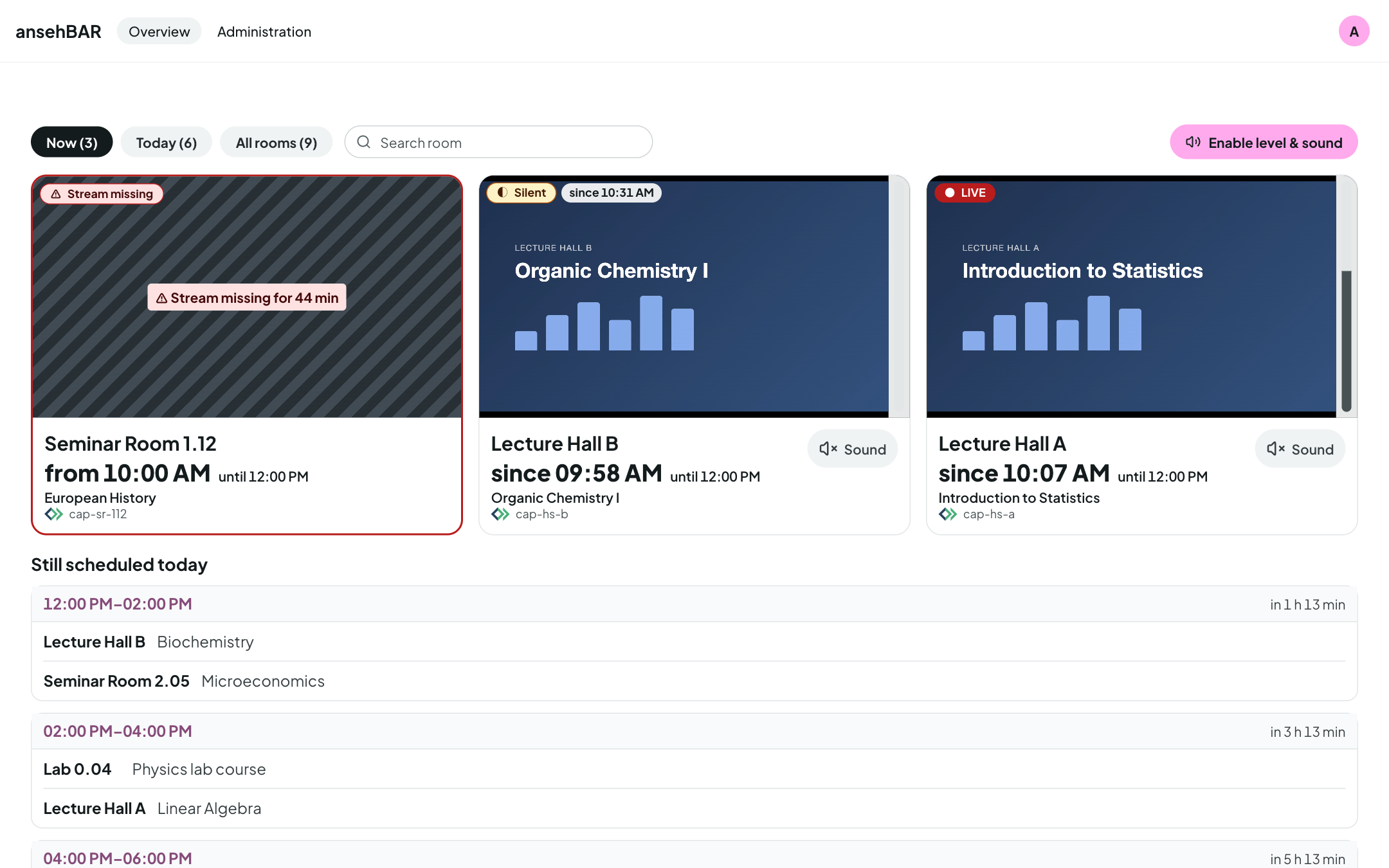
- Live detectionfrom the chunklist, not just the HTTP status
- Sound levelmeasured in the browser and on the server
- Opencastscheduled events, read-only
- Alarmsby e-mail and for Prometheus
- GitLab ticketswith status, event and screenshot
- German & Englishon desktop and phone
What ansehBAR does
A monitoring tool for media services and lecture capture teams: it watches streams and Opencast schedules and changes nothing on recorders, Opencast or the identity provider.
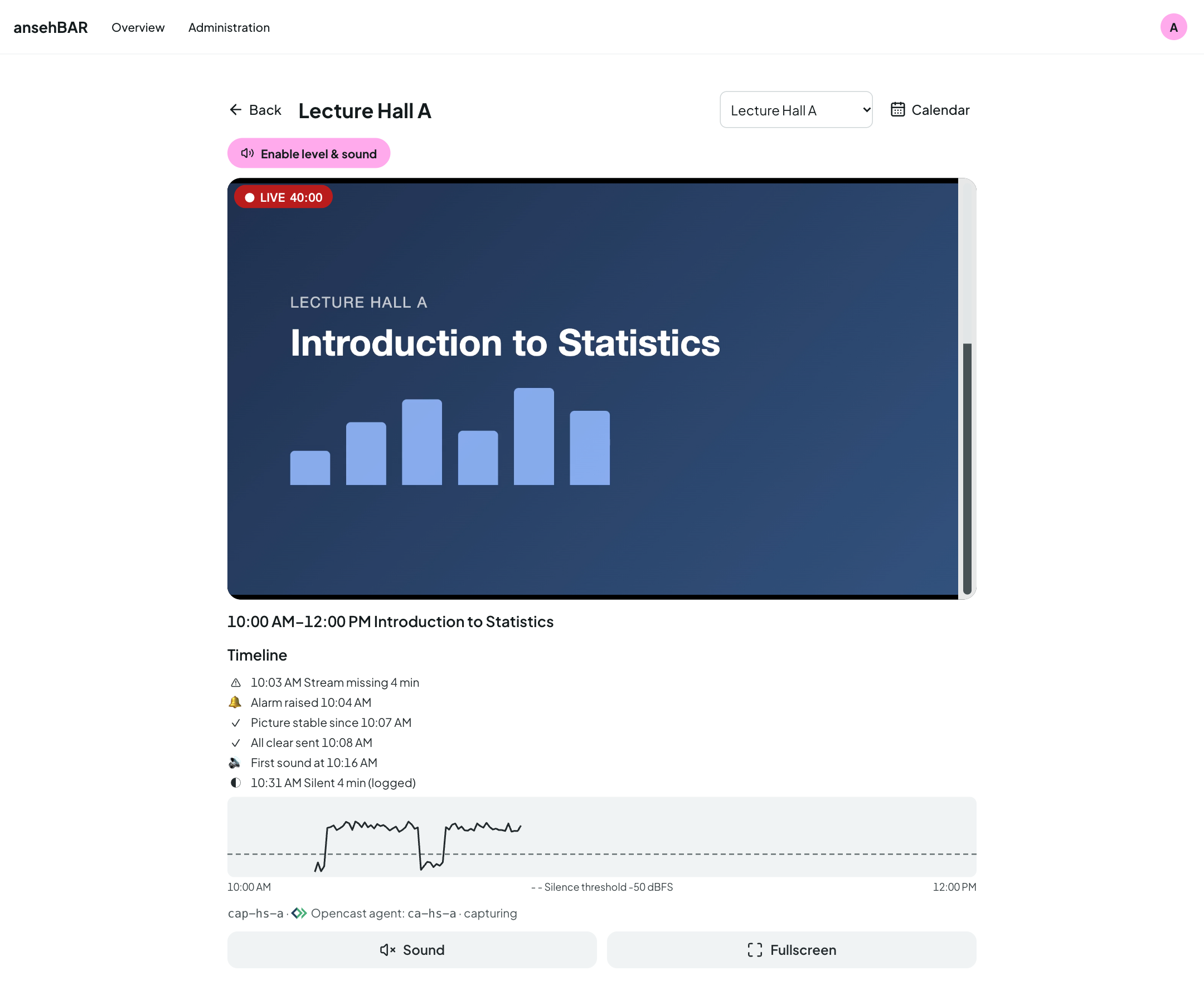
Room view with timeline
A large player with sound and full screen, below it the events of the running recording: when the stream was missing, when alarm and all-clear went out, when sound started — and the measured level curve.
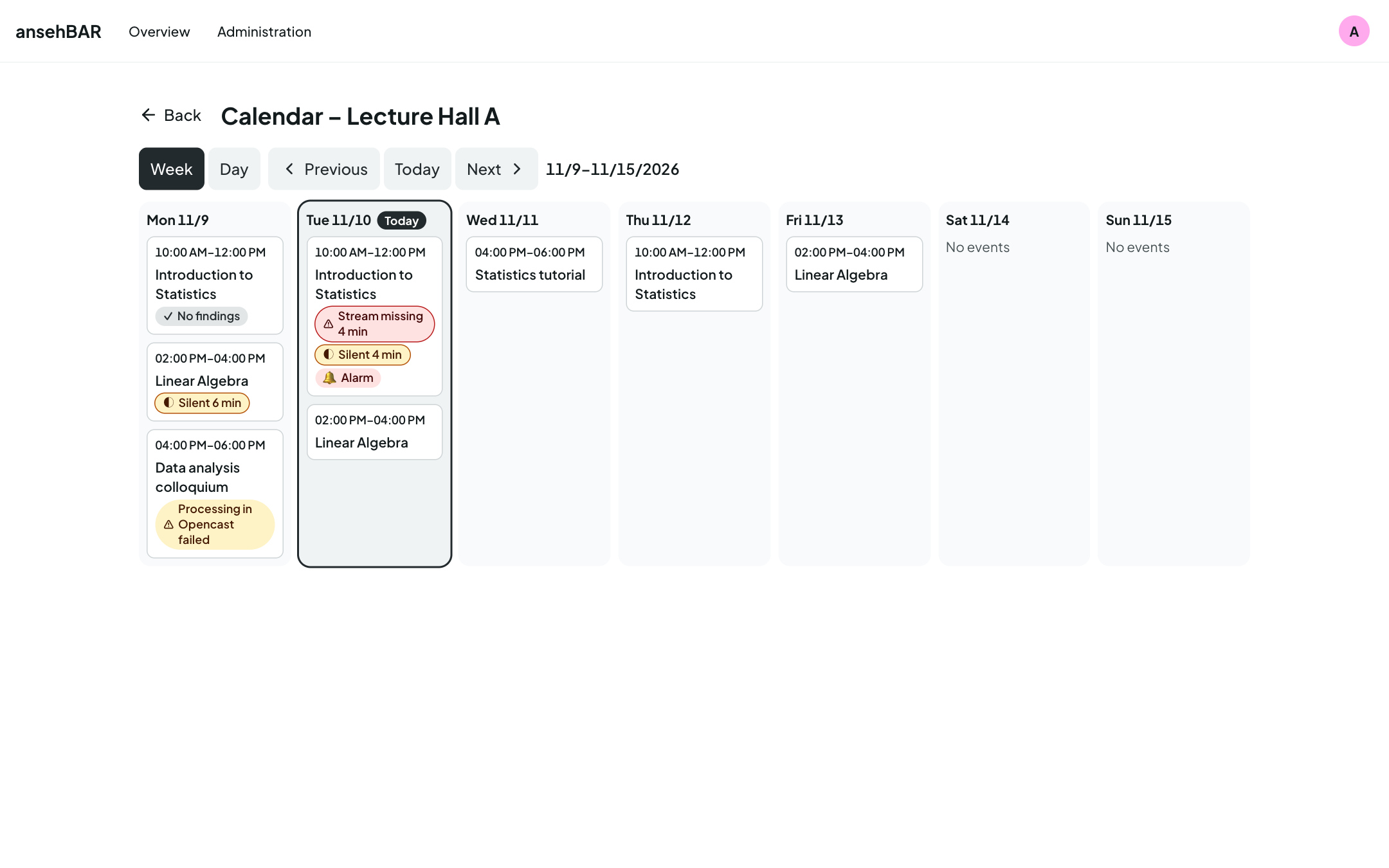
Room calendar
The week and the day of a room with all Opencast events. Markers show where the stream was missing, where it was silent, where an alarm was raised and which recording failed in Opencast.
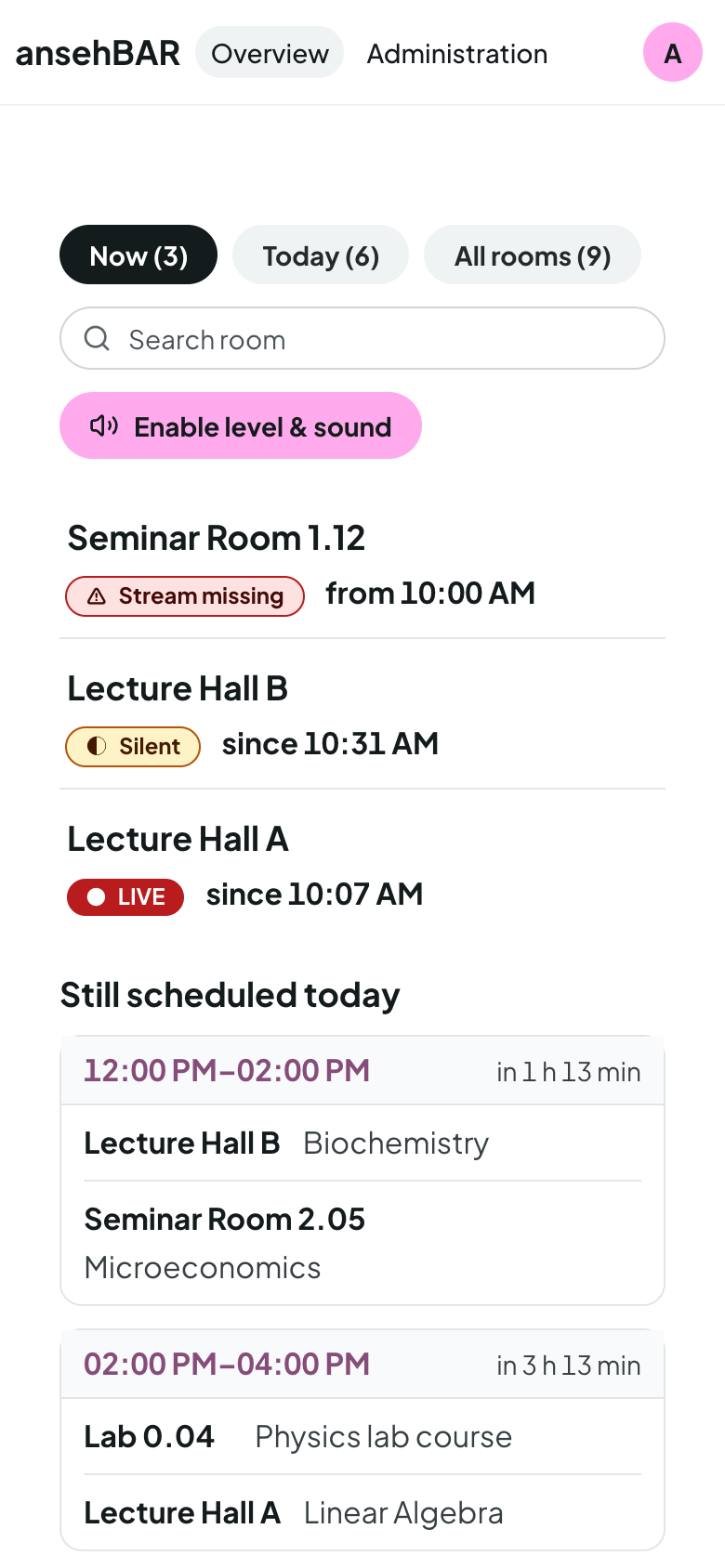
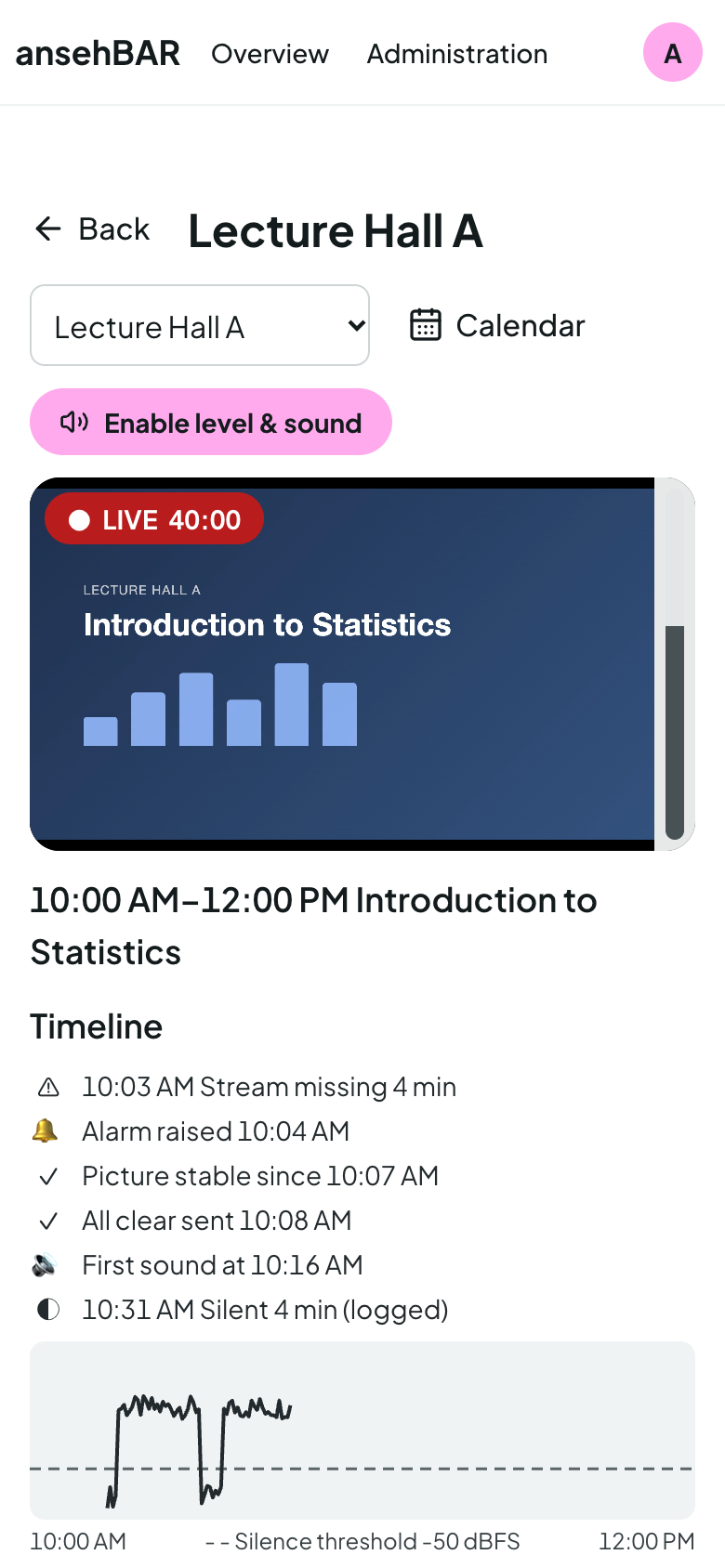
On the go
On a phone the overview becomes a room list. A tap opens the room with a large player, sound and full screen — handy for important events right in the lecture hall.
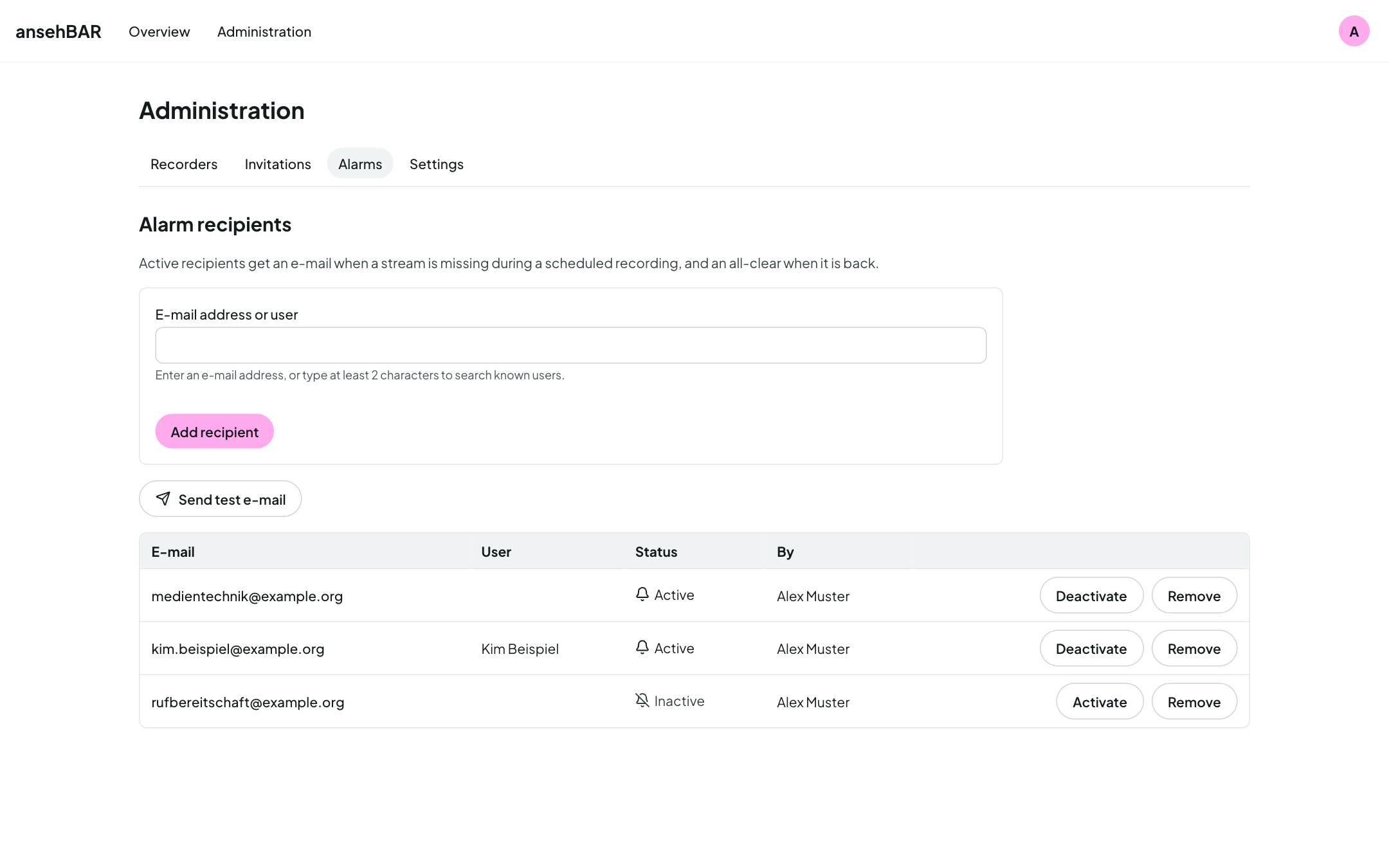
Alarms that fit
An alarm when the stream is missing during an event or when it stays silent for long; an all-clear when everything runs again. Per room: on time from the Opencast start, by grid with c.t., or log only.
-
Clear states
Always text and symbol, never colour alone: Live, Silent, Stream missing, No stream, Status unknown — and a notice when the monitor itself stops delivering data.
-
Check the sound
A level meter per tile, even with muted video. Only one room plays sound at a time — switching another one on mutes the previous one.
-
Last recording
If a room's last recording had problems, tile and room view say so — until the next clean recording.
-
Light and dark
The interface follows your system or your choice, in German or English.
Who it is for
-
Media services and lecture capture teams
All running rooms on the desktop, a single room on the phone. Alarms by e-mail to the people who can act.
-
Universities and IT centres
Self-hosted with Docker Compose, sign-in through your own identity provider (OIDC), connected to Opencast and Prometheus.
Watch, don't touch
-
Read-only
ansehBAR never writes to Opencast or the identity provider and controls no recorders. It reads streams and schedules — nothing more.
-
Small group of users
Access through a group in the identity provider or by invitation. The streams are not a public service.
-
Open source
All source code is available under the Apache License 2.0 on GitHub.
-
Made at a university
Developed by virtUOS at Osnabrück University, as one of the BAR tools alongside abstimmBAR and ausleihBAR.
Installation
ansehBAR runs as a Docker Compose stack of PostgreSQL, Django, a monitor process and Caddy on your own Linux server — with automatic HTTPS and sign-in via OIDC. Opencast, e-mail and Prometheus are optional.