Room calendar
The room calendar shows a room's Opencast events and what happened during them. Open it with Calendar in the room view.
Week
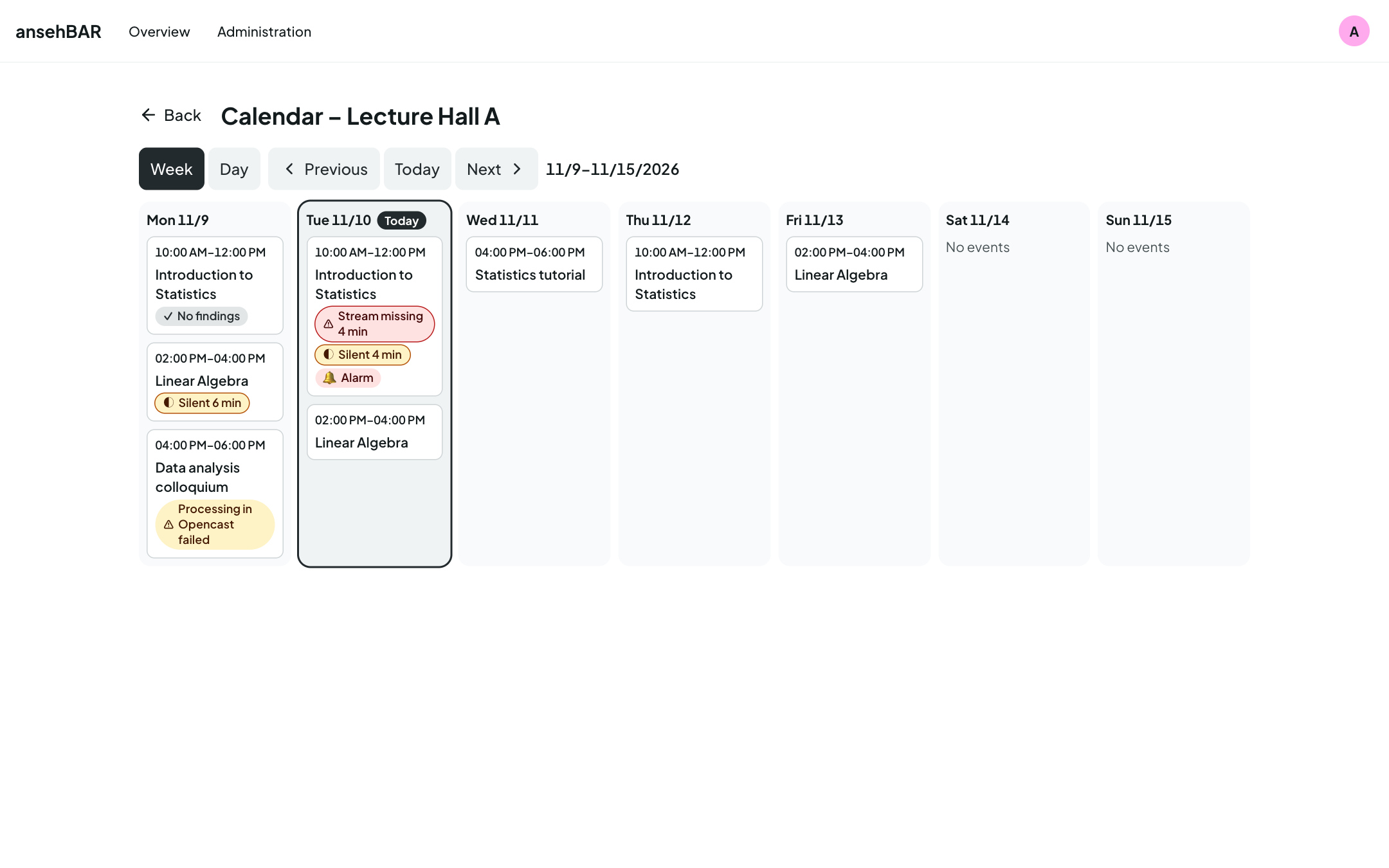
The week runs from Monday to Sunday; today is marked. Each event is a card with time window and title. Markers summarise what happened:
| Marker | Meaning |
|---|---|
| ⚠ Stream missing 4 min | total time the stream was missing |
| ◐ Silent 6 min | total of the logged silences |
| 🔔 Alarm | at least one alarm was raised |
| ⚠ Processing in Opencast failed | Opencast reports a problem with the recording, e.g. failed recording or processing, or it did not start or finish. |
| ✓ No findings | the event is over and none of the above happened |
Clicking a card opens that day.
Day
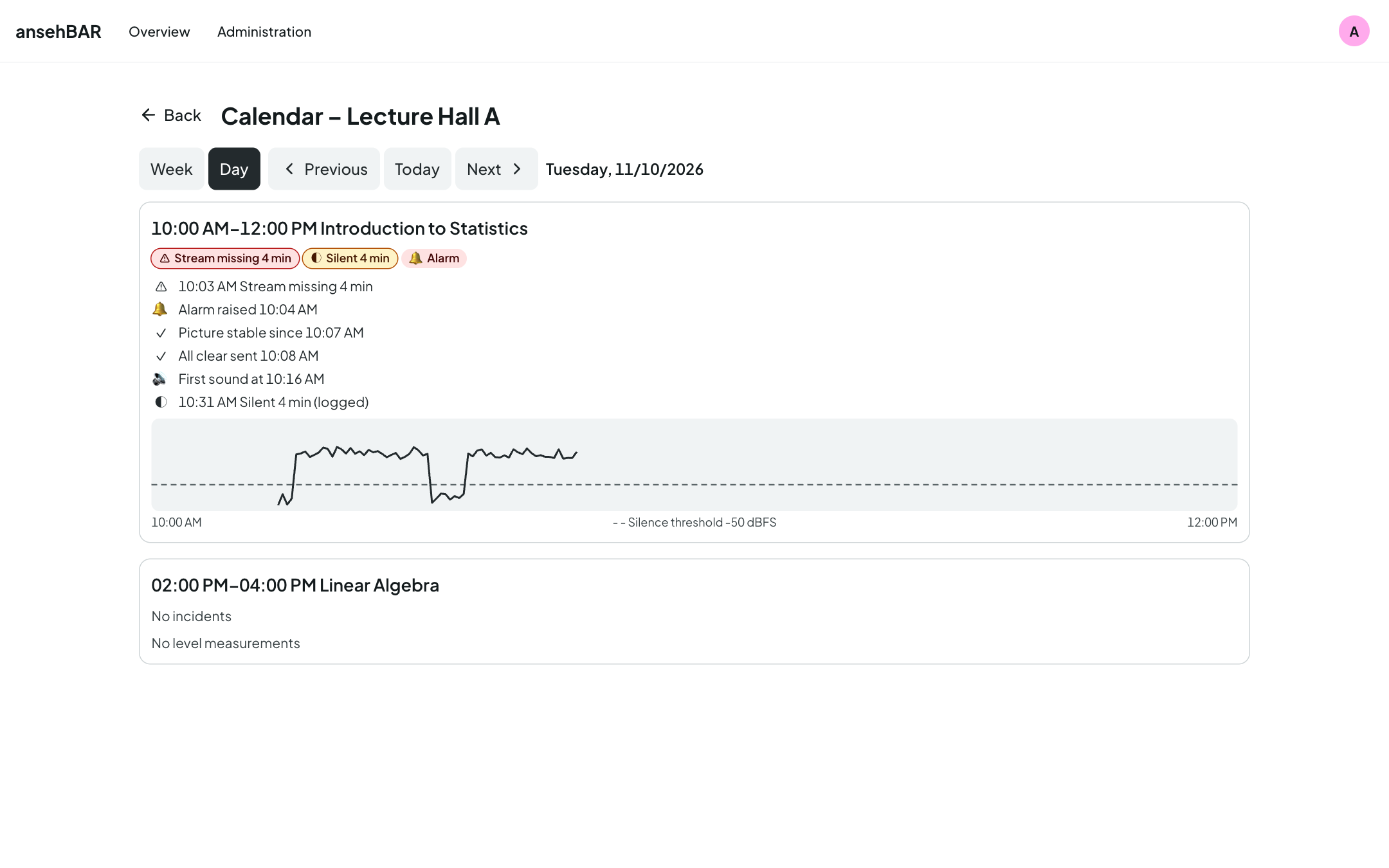
In the day view every event is expanded: markers, the timeline and the level curve.
Paging
Week and Day switch the view, Previous and Next page through, Today jumps back. The address contains view and date — a bookmark or a shared link opens exactly this week or day.
Replaced recorders
When the recorder in a room is replaced, the history stays with the old recorder. The calendar still shows both together: it combines all recorders with exactly the same room name and then adds the stream name to each event.
How long data is kept
Level measurements are kept for 30 days by default, events and incidents for 400 days. The periods can be changed under Settings.