Alarms
ansehBAR raises alarms only during scheduled Opencast events. Outside events, “no stream” is normal and triggers nothing. Alarms therefore need the connection to Opencast.
Stream missing
- If the stream is missing at the start of an event or drops out, an incident is created. It is always logged and shows up in the timeline and the calendar.
- An alarm goes out as soon as the stream has been missing for longer than the room's alarm mode allows — for example 3 minutes after the Opencast start.
- All-clear: if the stream runs stably again for at least a minute after an alarm, an all-clear goes to the same recipients.
- Brief flickering is no outage. If the stream drops out again after an all-clear, there is a new alarm.
- If the stream ends shortly before the scheduled end, that is no incident.
Sound missing
- During running events the monitor measures the level of every room.
- A silence of 2 minutes or more is logged (breaks, quiet work).
- An alarm goes out only when it has been silent for more than 15 minutes without interruption — and only once per event.
- If the sound comes back after an alarm, an all-clear is sent by e-mail.
Threshold and times are under Settings.
Who gets the alarms
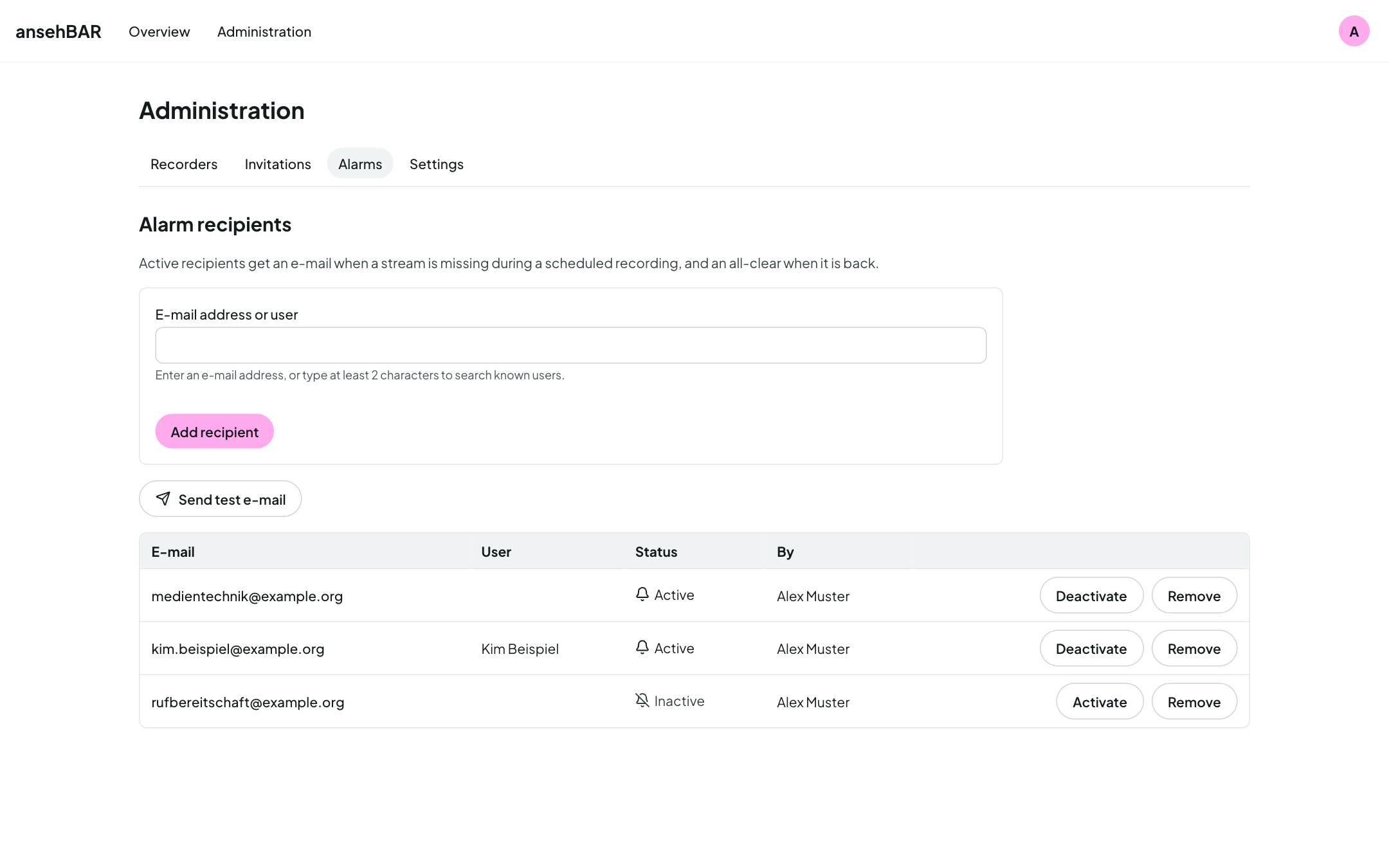
Under Administration → Alarms you manage the recipients:
- Add recipient: enter an e-mail address or search for a person who has signed in to ansehBAR before.
- Each recipient can be activated or deactivated individually, for example during holidays, and removed.
- Send test e-mail sends a test message to all active recipients.
An alarm e-mail contains everything needed to pass it on: room, recorder, kind of problem, event with title and scheduled time, since when, and a link to the room view.
Monitoring service
ansehBAR can also hand its alarms to a monitoring service (Prometheus with Alertmanager). The service polls ansehBAR regularly and distributes the alarms itself, for example to a chat room. There are no all-clears on this channel. The setup is described under Installation.
Both channels can be switched off individually under Settings.